Troubleshooting
The FinMate Notetaker abruptly leaves after 5 minutes into the call
Why is it happening?
The host was not present in the call. The Notetaker bot cannot ask for permission or start recording without the Zoom host present, per Zoom rules.
How to Fix?
One of the following must be satisfied, to be considered Zoom Host is in the meeting:
-
Option 1: You must be the host of your zoom meeting, for FinMate Notetaker to record.
-
Option 2: If your assistant makes the zoom meeting,
- In zoom recorder settings(https://zoom.us/profile/setting), allow others to be the host of the meeting, i create the zoom meeting yourself as the host.
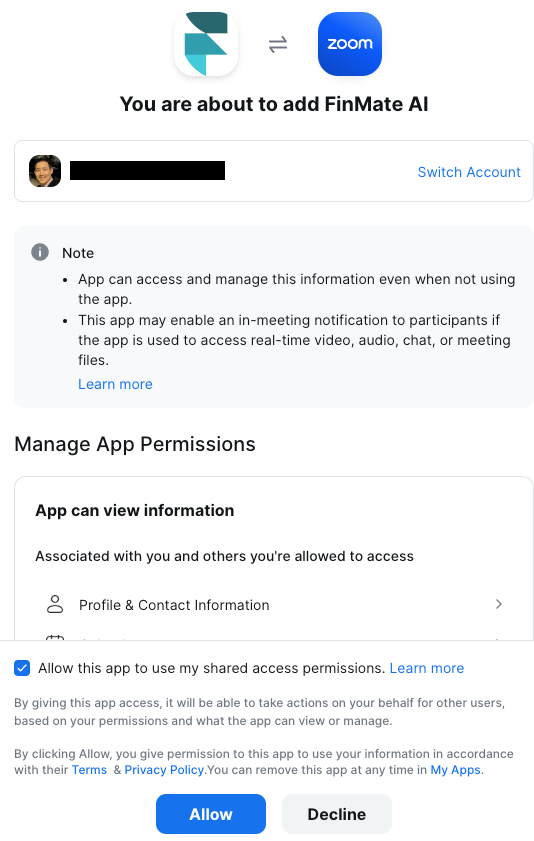
- your assistant needs to have at least a lite account with FinMate, and connect Zoom here: https://app.finmate.ai/integrations/zoom
If this happens while you are on call, use our Web Recorder or Mobile App to record the current conversation, and fix the zoom settings before your next meeting.
Bot Denied By Host, but I created the event. Why is someone else host?
If you received an email that Zoom Finmate AI Bot was denied by the host with hostname as someone else but you are hosting the event,
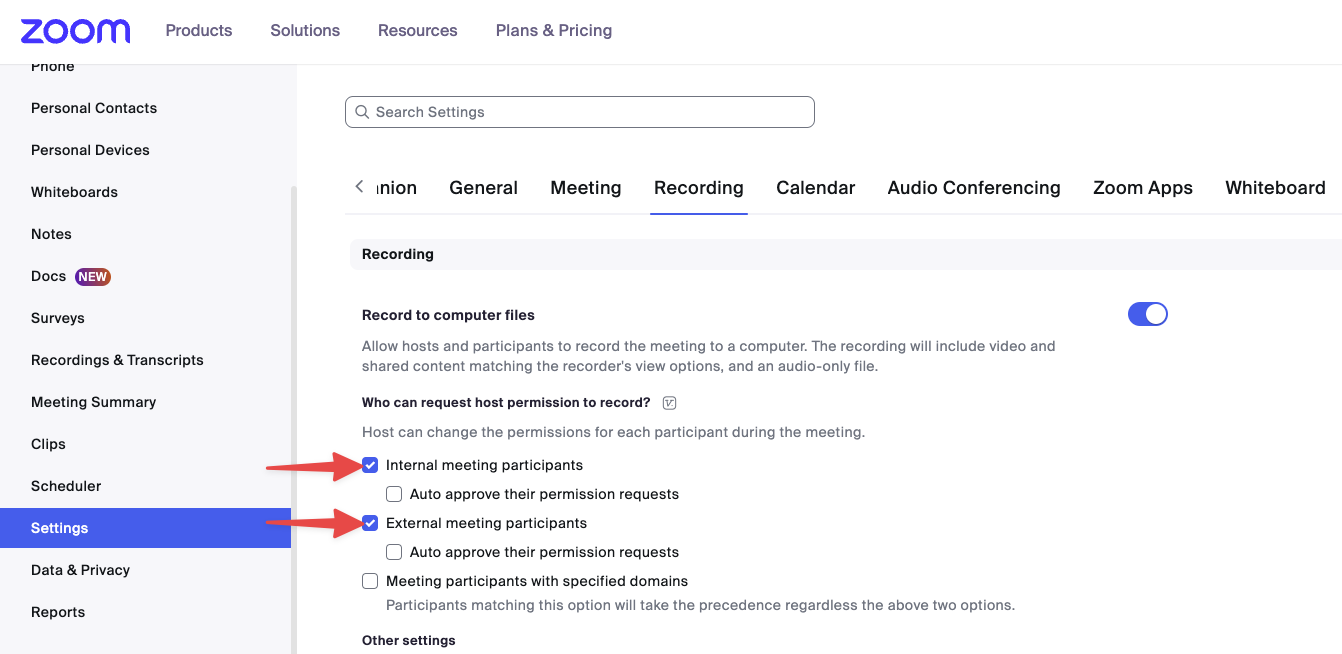
The host has disabled permitting participants to record locally
The host has their global local recording setting enabled, but they can't grant participants permission to record locally, which is needed for a bot to record.
The bot will emit a Recording Permission Denied event with a zoom_local_recording_request_disabled
Go to your Zoom Settings https://zoom.us/profile/setting and enable "Hosts can give meeting participants permission to record locally"
Why is it happening?
The Zoom Desktop App is not signed in or is signed in as someone else. Thus the specific host isn't found, and Zoom randomly assigns the host until the exact host appears.
How To Fix?
Sign into Zoom Desktop App with the same email as your calendar connected to FinMate.
source: zoom troubleshooting link
Zoom registration required for FinMate Notetaker
You received an email that Zoom Finmate AI Bot was The bot failed to join because registration is required for this Zoom meeting.
Why is it happening?
Meetings that require registration are not supported since a bot cannot register itself when joining a meeting. To learn more about what Zoom registration is, click here.
How To Fix?
You can do any of the following: To enable a bot to join a registration-required meeting, you must pre-register for the meeting and provide the pre-registered meeting URL when creating the bot. Pre-registered meeting links will contain a tk query parameter. You can host a meeting that does not require zoom registrations. If you are not the host, then you'll have no control over requiring zoom registrations. Use our Web Recorder (easiest)
Zoom, Local Recording is disabled
You received an email that Zoom Finmate AI Bot was The bot failed to join because Local recording is disabled.
Why is it happening?
Zoom settings of local recording disabled, prevents our notetaker from recording. Sometimes Zoom servers says it's enabled but its not.(Toggle off/on).
How To Fix?
- Sign into your Zoom Settings https://zoom.us/profile/setting
- On the Left Menu, select Settings
- On the Top tab, Select Recording.
- Toggle Local Recording Off, then On again.
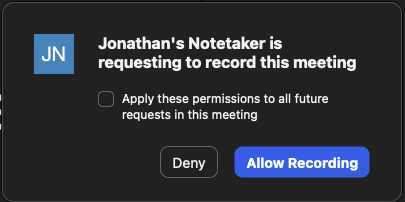
I denied the notetaker, and set my permissions to prevent future notetakers. how do i undo?
If you selected "Deny" and checkmarked apply all in this window,
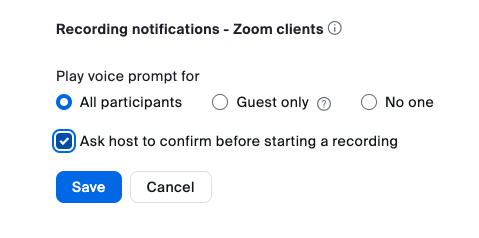
- Sign into your Zoom Settings https://zoom.us/profile/setting
- On the Left Menu, select Settings
- On the Top tab, Select Recording.
- Select, "Ask host to confirm before starting a recording"