Setup
-
Connect FinMate to Zoom here: https://app.finmate.ai/integrations/zoom
-
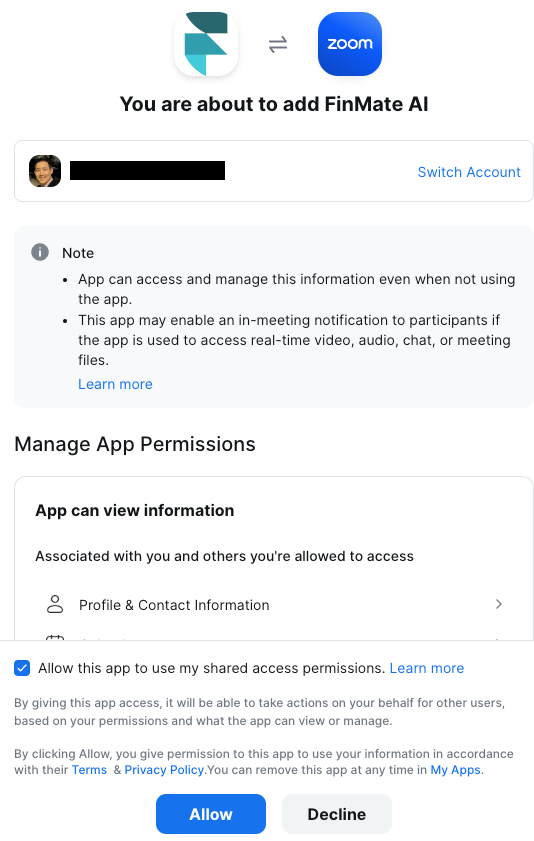
When authorizing, check mark "Allow this app to use my shared access permissions.
-
-
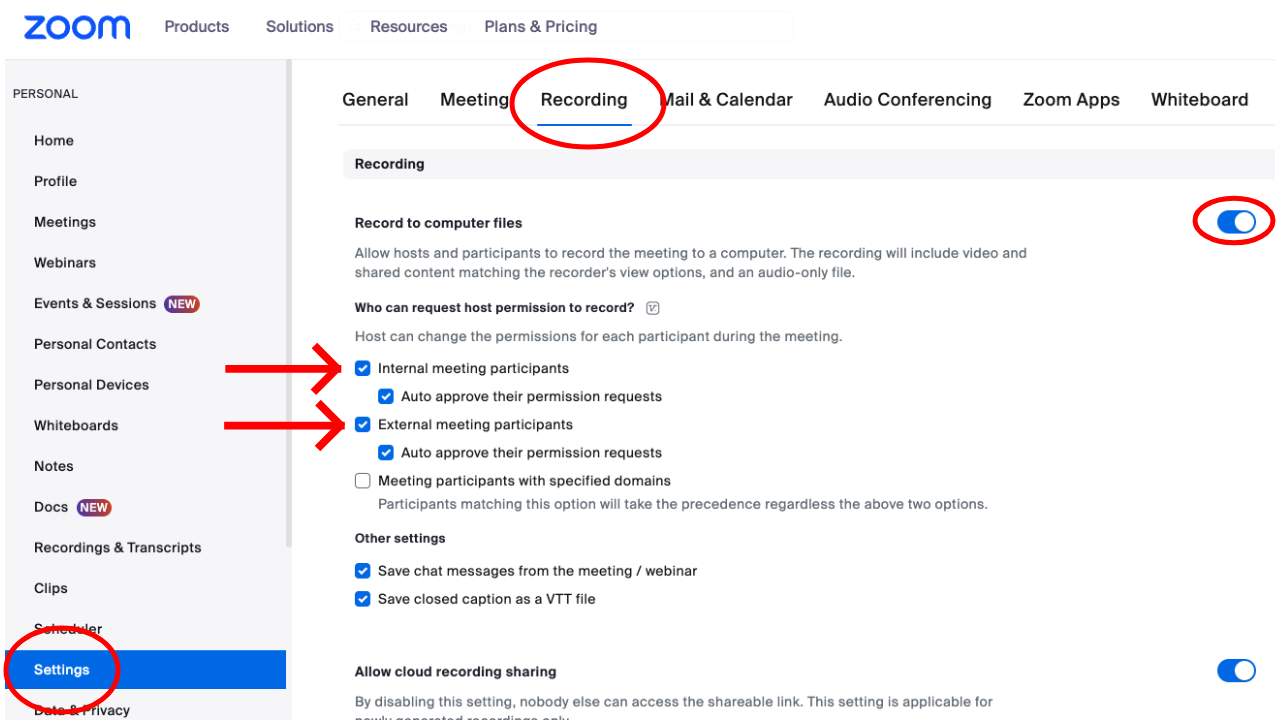
Update your Zoom settings to allow local recording
- Sign into zoom, and go to Profile > Settings > recording tab. https://www.zoom.us/profile/setting?tab=recording
- Enable "Record to computer files", and Check mark "Internal meeting participants", and "external meeting participants"