Oauth Errors
Generic oauth approval error
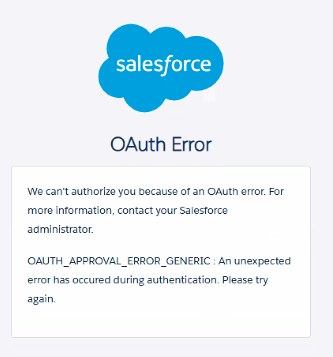
There can be many reasons for this. Below we check for, "Install", "Connected App Settings" and Profile Settings.
Connected App Install
-
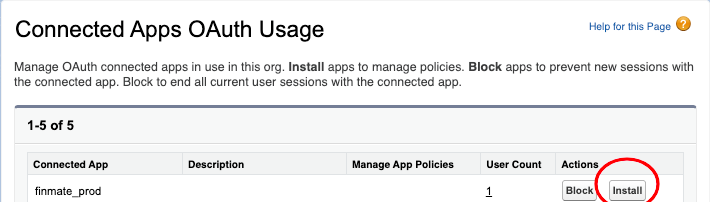
Go to "Connected Apps OAuth Usage"
-
Press "Install"
Connected App Settings
-
Go to Salesforce Setup > "Connected Apps"
-
Manage Connected Apps
-
select
finmate_prod -
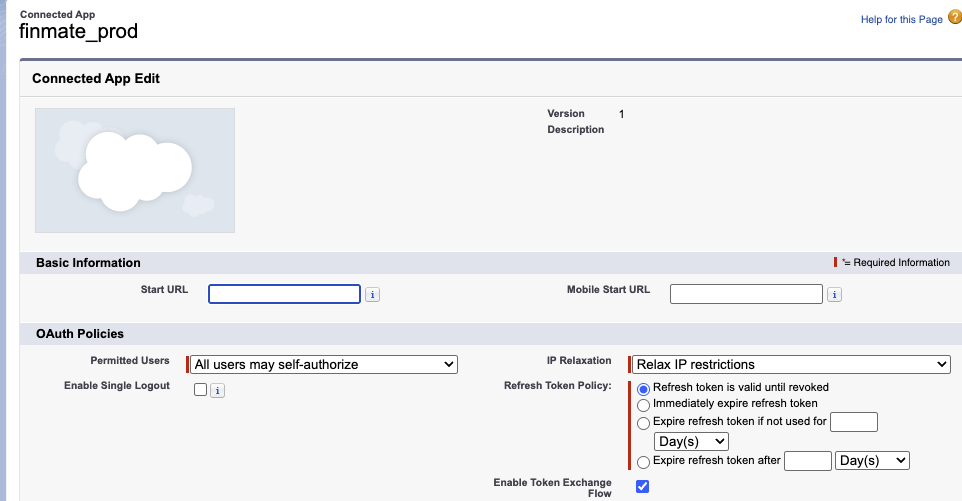
Here are the configurations that allow users to connect.
-
FYI. here are the scopes the FinMate Connected App Uses.
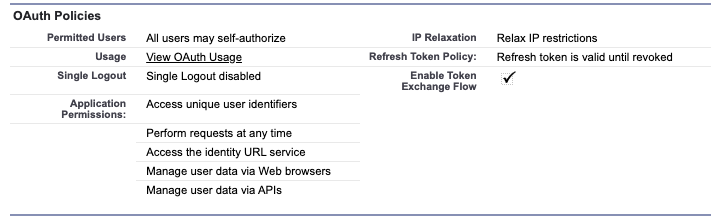
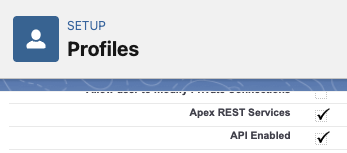
Profile needs API Enabled
Ensure your salesforce user is part of a profile, for example, lets choose "Standard User"
https://finmateai-dev-ed.develop.lightning.force.com/lightning/setup/EnhancedProfiles/home
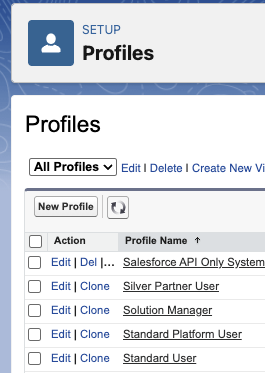
Press Edit and make sure "API Enabled" and "Apex REST Services" are enabled.