Flows
How to automate you salesforce workflow, process builder with FinMate?
To connect a flow with Finmate, the Flow must be of process type "Autolaunched Flow" Please see salesforce on how to build a flow https://help.salesforce.com/s/articleView?id=sf.flow.htm
Flow Inputs
How to complete a step in the middle of a flow?
Salesforce does not have a method to via API to continue a step within an existing flow. Rather, it has concepts to trigger other flows. Flow Builder with Platform Events: You can set up the flow to wait for a platform event. External systems (like an API) can publish a platform event, and the flow will resume when the event is received. This is often used in flows that involve multiple systems. https://admin.salesforce.com/blog/2023/what-is-a-platform-event-triggered-flow REST API to Update Salesforce Records: If the flow depends on a record update to proceed (e.g., when a certain field is updated or a record is created), you can use the Salesforce REST API to update the relevant record. The flow can then continue based on the trigger condition (e.g., "when a record is updated"). https://help.salesforce.com/s/articleView?id=sf.flow_build_data_update.htm Subflows: If you design the flow in a modular way, with subflows, you could trigger a subflow via an API request and have that subflow complete certain actions or steps in the main flow. https://admin.salesforce.com/blog/2023/what-is-a-subflow
Invocable Actions: You can create an invocable Apex method that can be exposed as an API endpoint and called to complete a specific step or action that corresponds to a part of the flow. These invocable methods can interact with the flow's data or update Salesforce records, which might push the flow forward. https://developer.salesforce.com/docs/atlas.en-us.apexcode.meta/apexcode/apex_classes_annotation_InvocableMethod.htm
"Flow Input Error", Max Record or Unknown Record
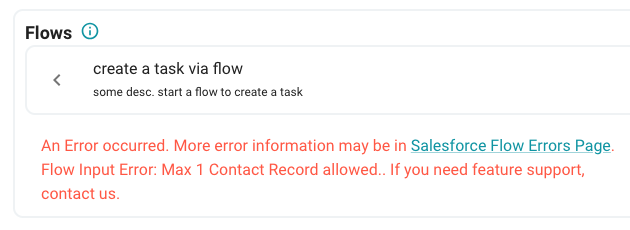
If you receive an error similar to the above, you'll need to go to your Salesforce flow, and adjust your inputs. FinMate Salesforce Flow requirements:
- Must have a Salesforce Contact associated with the Meeting
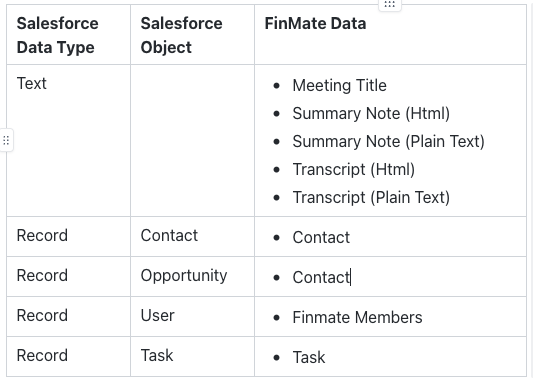
- Max of 1 user record input. Record cannot have multiple values.
- Max of 1 contact record input. Record cannot have multiple values.
- Max of 1 opportunity record input. Record cannot have multiple values.
If you receive an unrecognized record, and you want to use this record, please contact us.
How to setup FinMate User for Salesforce Flow User
In Salesforce Flow Builder, create a "new resource". Create a User record. Example shown below
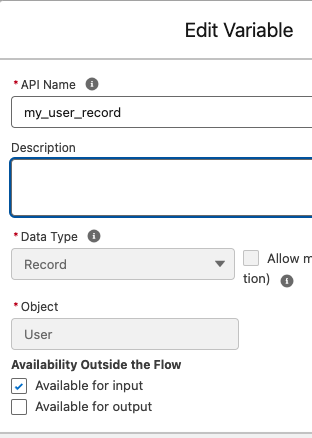
You can reference the user's salesforce Id by <your_user_api_name>.Id

How to setup FinMate Contact for Salesforce Flow Contact or Opportunity
In Salesforce Flow Builder, create a "new resource". Create a Contact record. Example shown below.
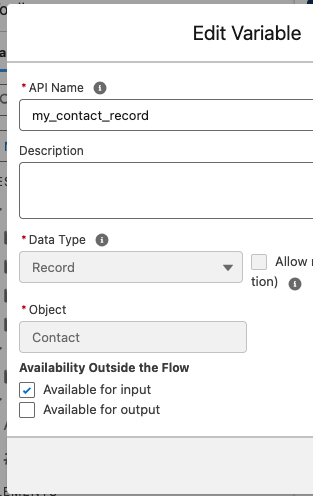
You can reference the contact's salesforce Id by <your_contact_api_name>.Id
or
You can reference the opportunity's salesforce Id by <your_opportunity_api_name>.Id

How to setup FinMate Tasks for Salesforce Flow Tasks
In Salesforce Flow Builder, create a "new resource". Create a Task record. Example shown below. You can use "Allow multiple values".
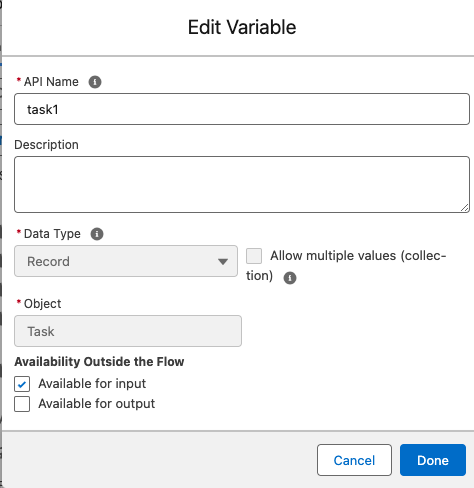
If you want to setup a new Task, setup the below as follows:
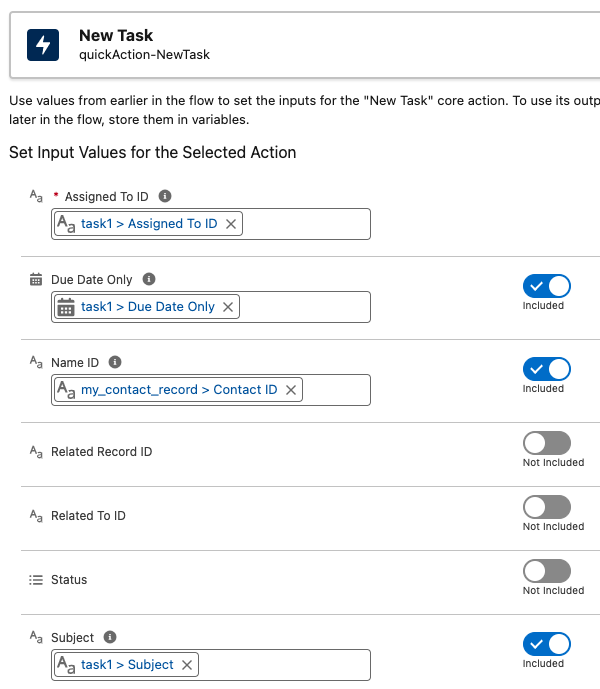
In the UI, where you "Set Input Values for the Selected Action", you can assign the following:
-
<task_api_name>.OwnerIdthis is the task assignee
-
<contact_api_name>.Idthis is Salesforce Contact (ie. your customer)
-
<task_api_name>.SubjectThis is the task, but shortened with "..."
-
<task_api_name>.DescriptionThis is the full length task name
-
<task_api_name>.ActivityDateThe task due date
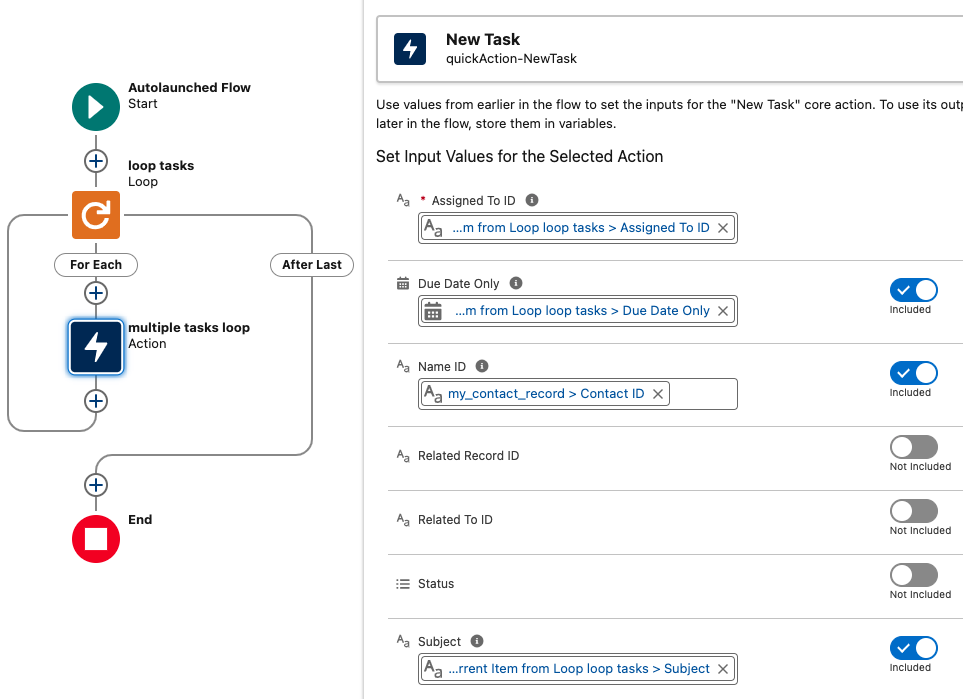
looping tasks
For multiple Tasks, you can loop through tasks. Below is an example Setup
How to setup FinMate Summary Notes for Salesforce Flow Notes
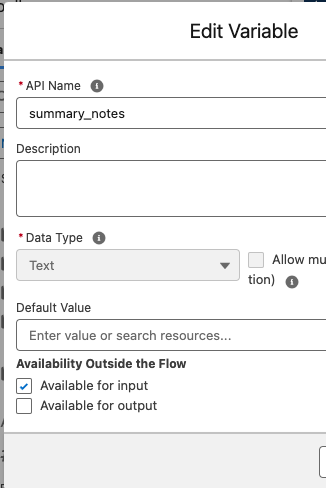
Salesforce Notes are in plain text format.
In Salesforce Flow Builder, create a "new resource". Create a Text record. Example shown below.
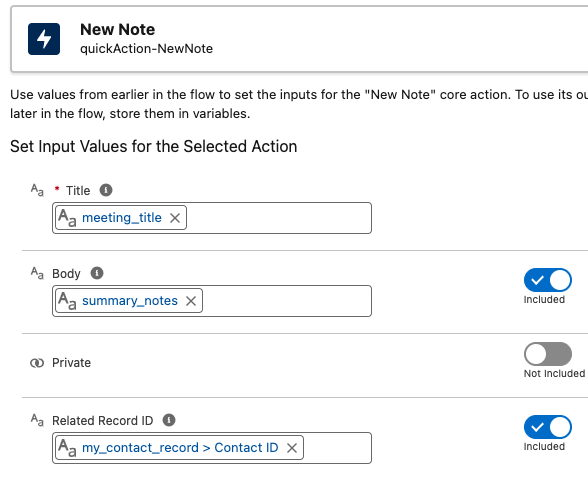
If you want to setup a new Note, setup the below as follows:
How to Setup ContentNote
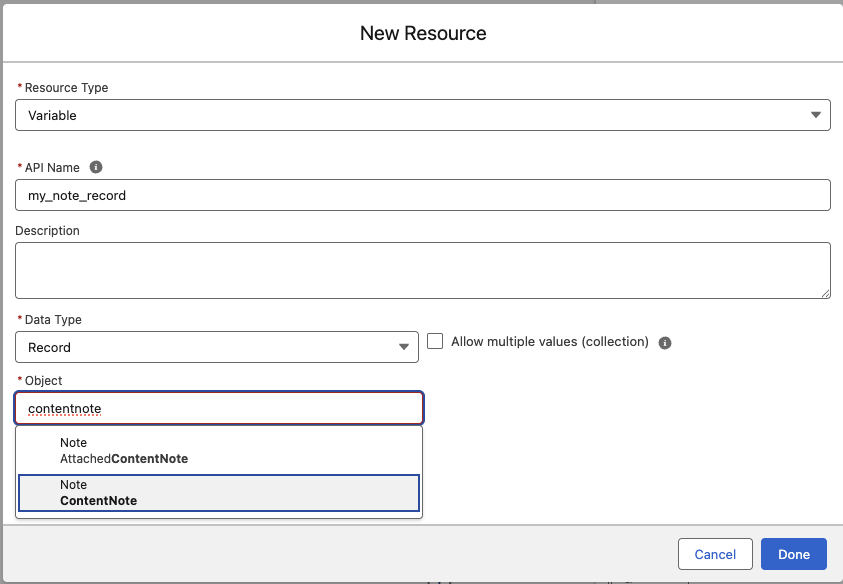
ContentNote is Salesforce modern way to attach notes.
In Salesforce Flow Builder, create a "new resource". Create a Record of object ContentNote. Example shown below.
Below is what my flow, input list looks like.
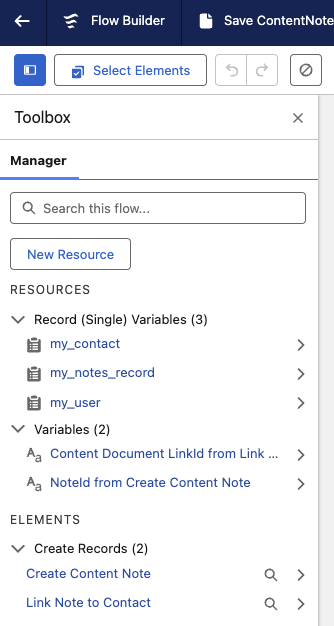
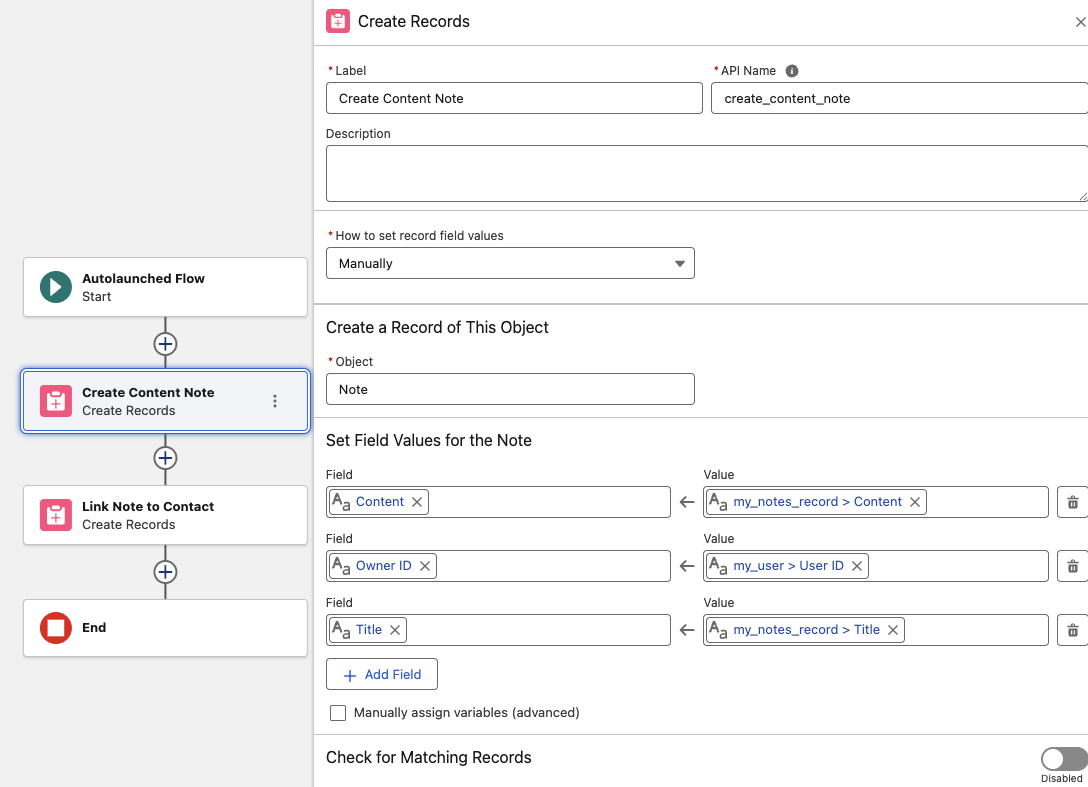
In your Flow, "Create a Record" to "Create a Content Note". below is a sample setup.
For Content Note, you'll want to pass the "my_notes_record > Content" and the "my_notes_record > Title"
Next, you'll want to link the Note to a Contact, Opportunity, or Account.
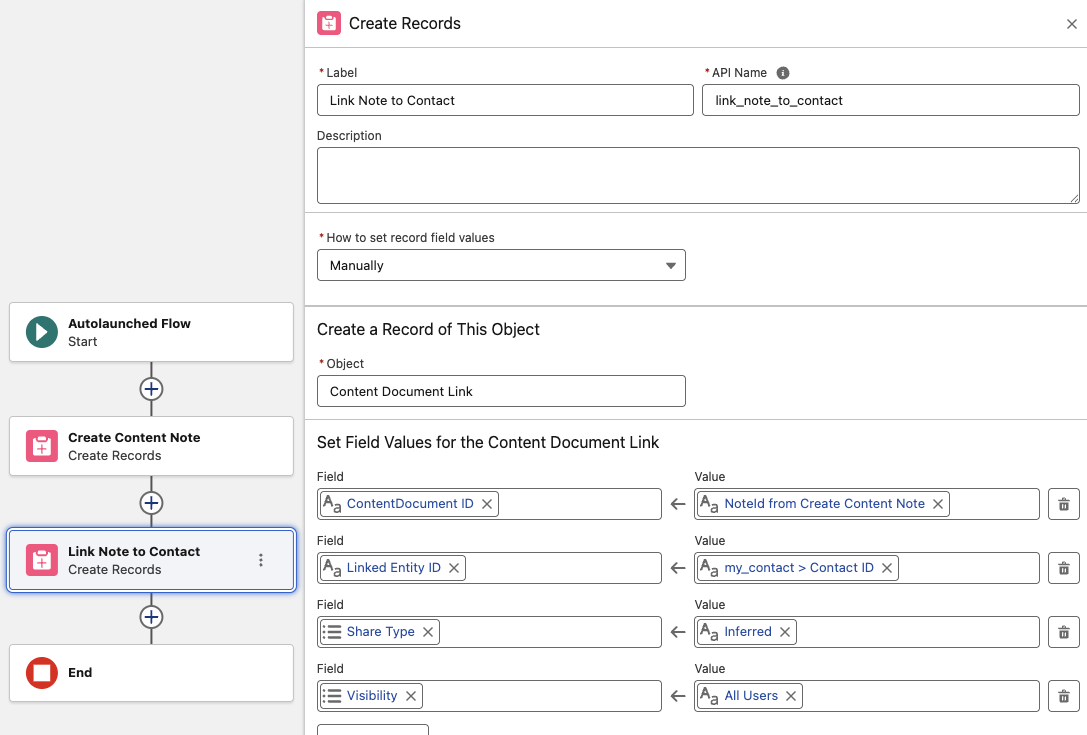
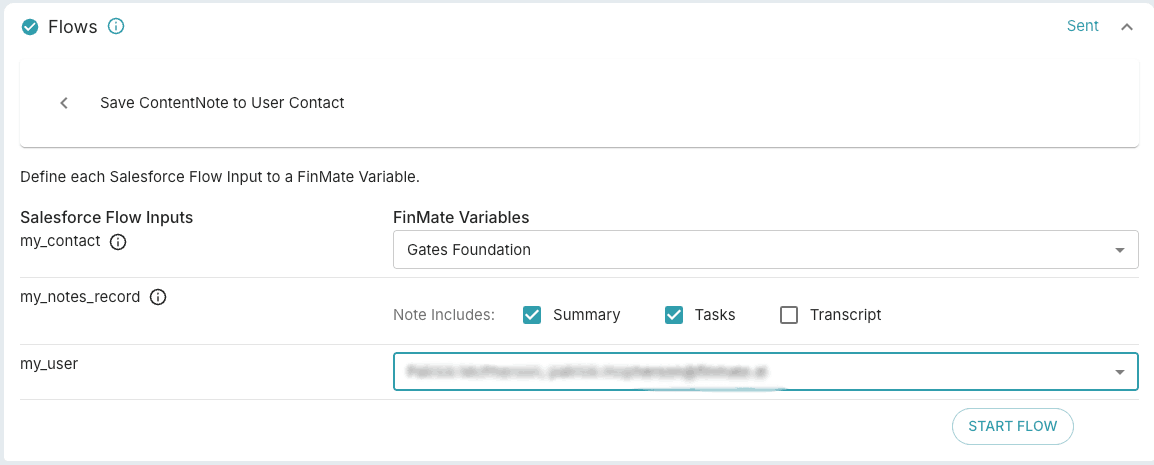
Now that you are setup in Salesforce flows, in Finmate, when you see ContentNote sObject, displayed as "my_notes_record" below, you'll be able to add what you want into your notes.