Sending Meeting Notes to Salesforce
Why so many options?
Salesforce and its UI variants(Xlr8, Practifi, & Salentica Elements) have a variety of methods to send notes to your Salesforce CRM.
Some sections are visible and others are not. Salesforce does not have a away to read your particular settings. The best option is to test and see where it goes in your CRM. Below is where Salesforce sends the info depending on which method you choose.
Create a Note
You can Create a Salesforce Note by selecting "Create Note"
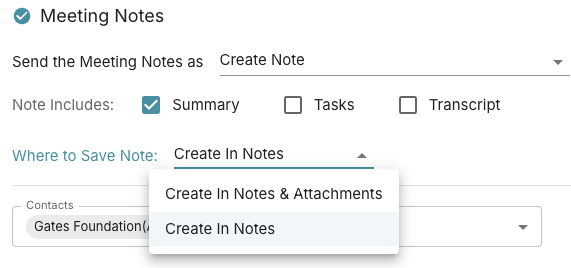
You'll notice "Where to Save Note"
- "Create in Notes & Attachments" (legacy)
- "Create In Notes" (Lightning Experience)
For Salesforce App users, its up to how your IT configured, to which one is exposed.
For most Practifi & Salentica Users, the default on Practifi is "Create In Notes", however, its possible to turn on legacy, so we offer both options.
For most XLR8 users, its legacy, since we last checked.
In your CRM, go to your contact/account/lead, and find the Card that looks like this:
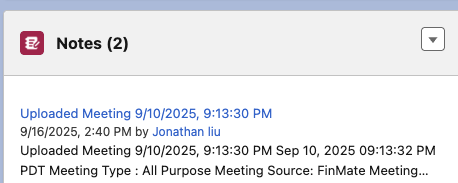
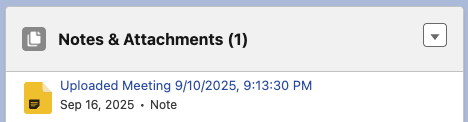
Create an Event, Add to Description
You can create a Salesforce Event, and append the notes/tasks/transcript to the event description

Go to your salesforce CRM, select the related contact, and select the event. you'll see your notes in the newly created event.
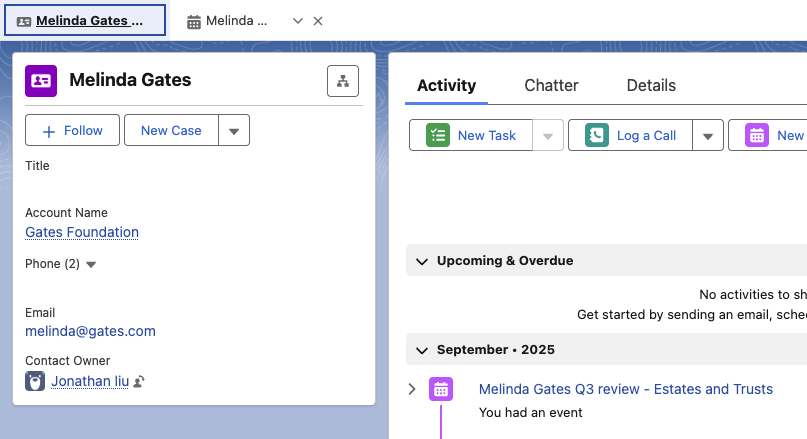
Create an Event, Add Notes, Create in Attachments
You can create a Salesforce Event, and attach the notes/tasks/transcript as an "Attachment"
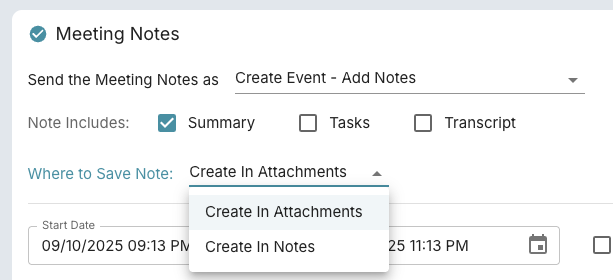
Go to your salesforce CRM, select the related contact, and select the event. Then Select the "Related" Tab, to see the attachments
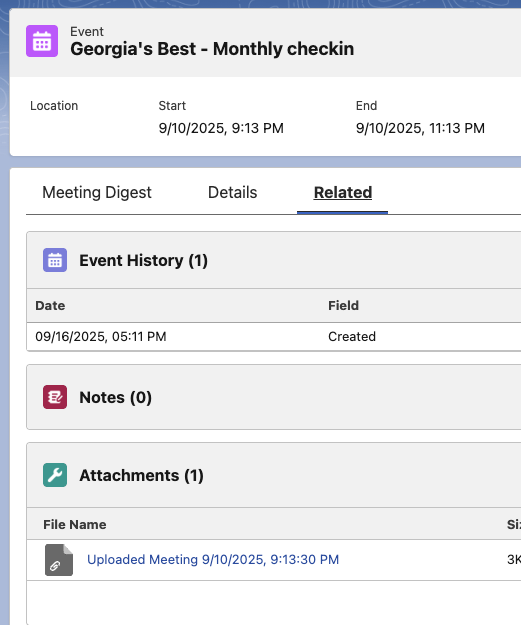
Create an Event, Add Notes, Create in Notes
You can create a Salesforce Event, and attach the notes/tasks/transcript as a linked note.
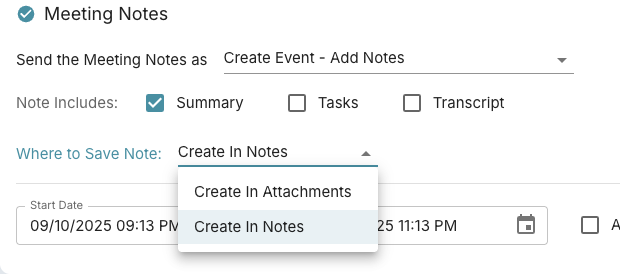
Go to your salesforce CRM, select the related contact, and select the event. Then Select the "Related" Tab, to see the notes
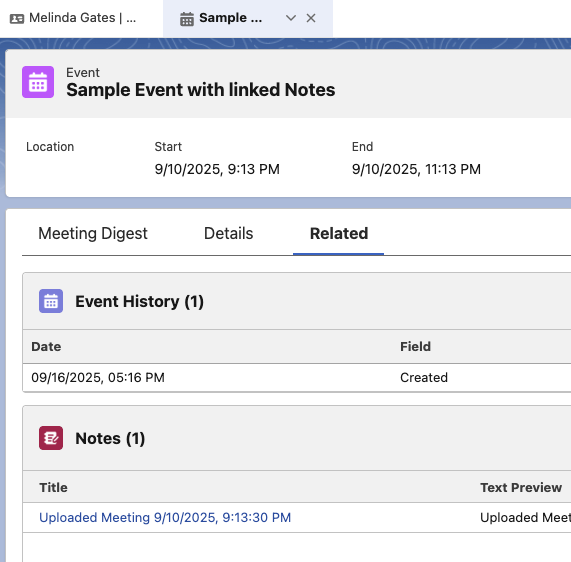
Add to an Eventing Event, Add Notes, Create in Attachments
similar to "Create an Event, Add Notes, Create in Attachments".
Add to an Eventing Event, Add Notes, Create in Notes
similar to "Create an Event, Add Notes, Create in Attachments".