Scheduling
You can find the scheduling page on by clicking the scheduling button on the navigation bar on the left side of the screen.
Booking Page
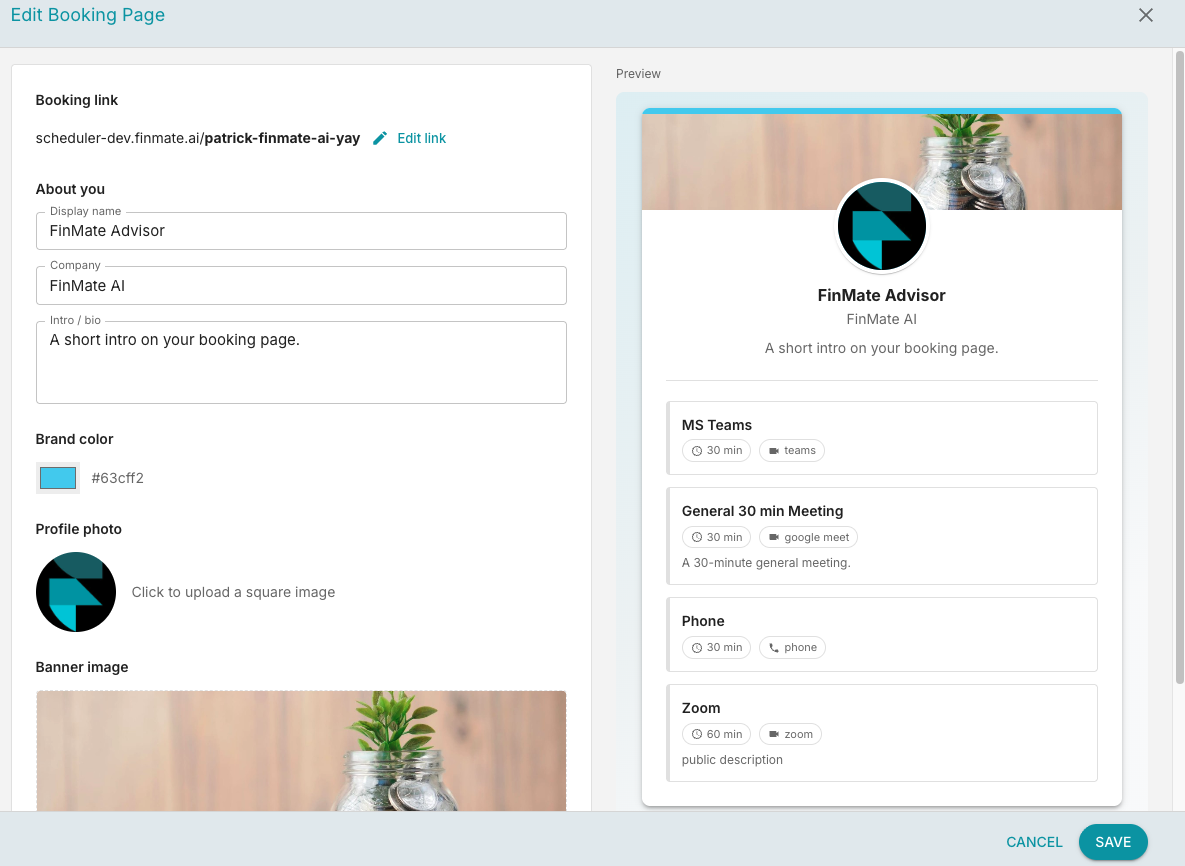
You can edit your booking page by clicking the EDIT BOOKING PAGE button on the top right of the scheduling page.
Meeting Types
You can create and edit meeting types that you want available to you clients to choose from.
Create New Meeting Type
To create a new meeting type click the NEW MEETING TYPE button on the top right of the meeting types card.
Edit Meeting Type
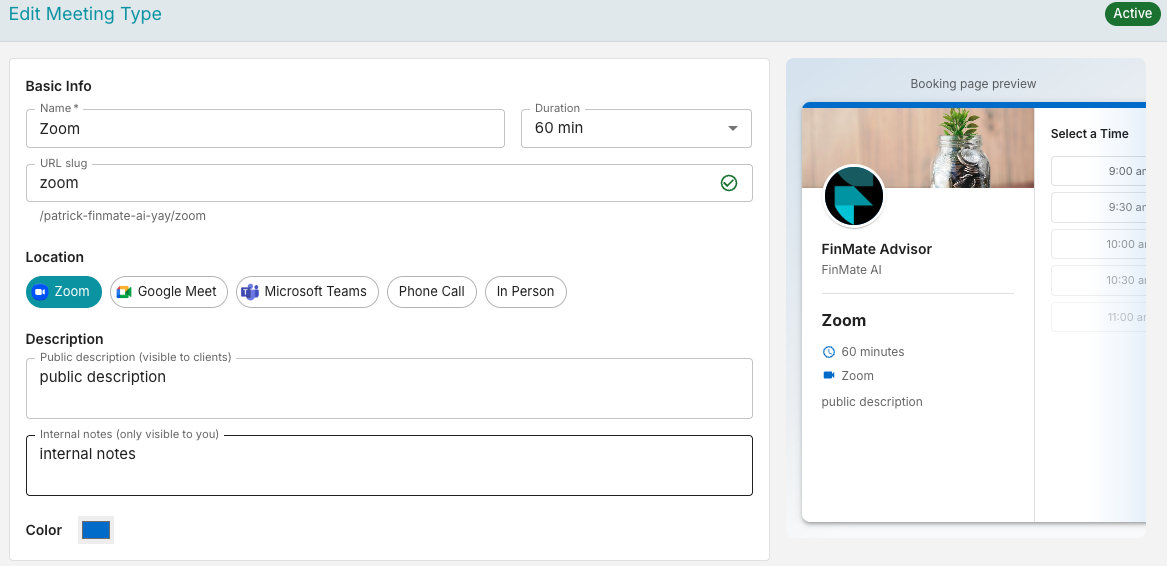
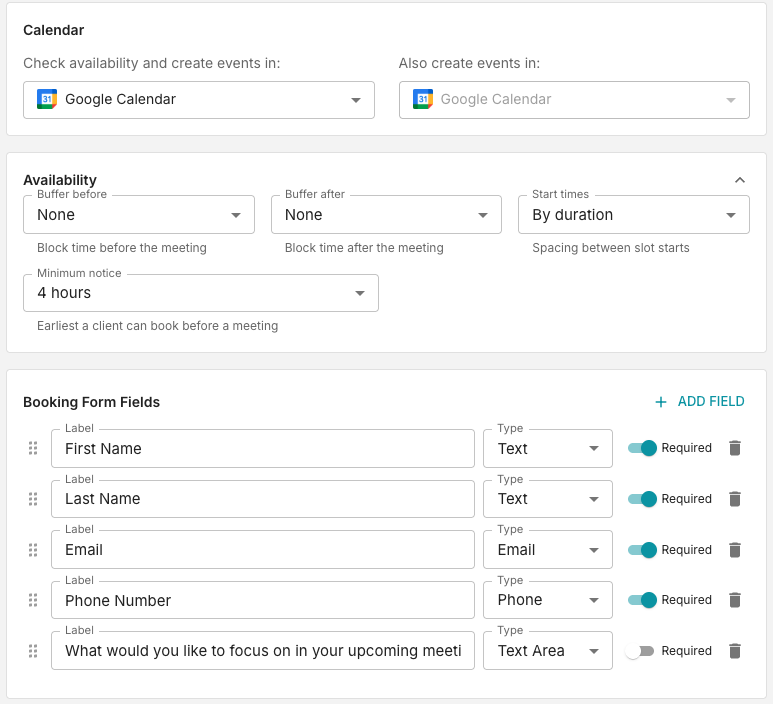
To edit any meeting type click the pencil icon on the top right of the meeting card under meeting types.
Availability
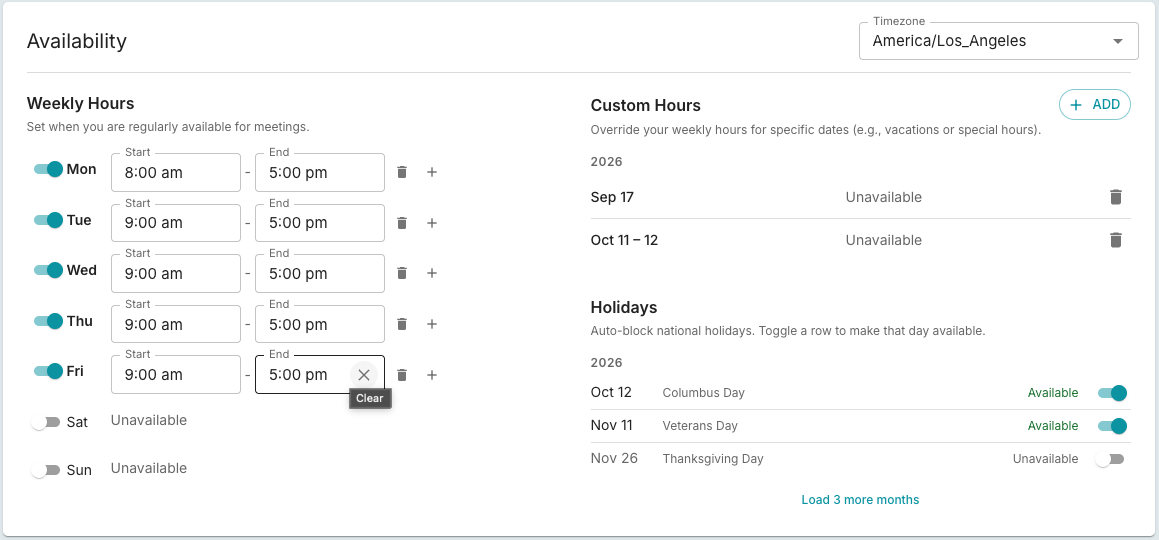
You can set regular availible hours along with one time custom overrides.
Bookings
You can view all your bookings in the Bookings card at the bottom of the scheduling page. Here you can cancel any confirmed bookings, sort by updated time or booked date, and filter for all, confirmed, or cancelled bookings.