IPhone Call Recordings
Summarize phone call with FinMate AI using iOS 18.1 call recording feature.
Record a Call
-
Start recording a call by touching the record icon on upper left corner.

-
Make sure recording has started.

Save Recording for Browser Upload
After a call recording is finished, save the file to a location accessible by your browser for uploading, since iOS restricts browser access to recording files.
-
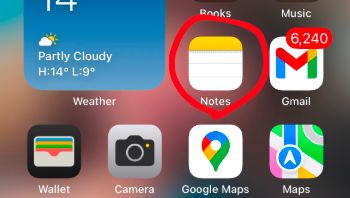
Open Note App
-
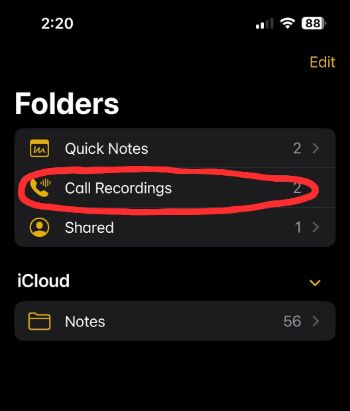
Open "Call Recordings" folder
-
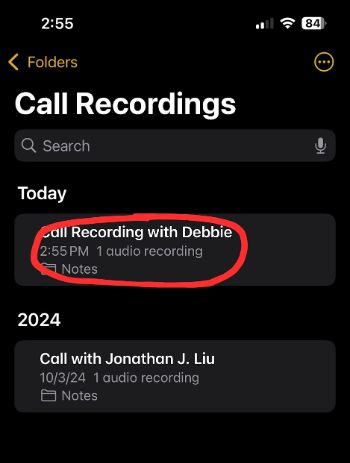
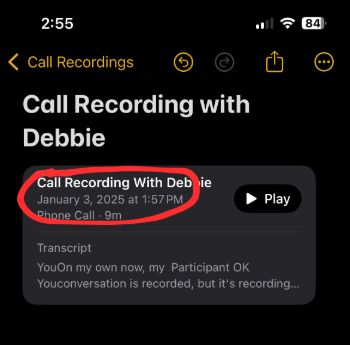
Find the call recording
-
Open the call recording file
-
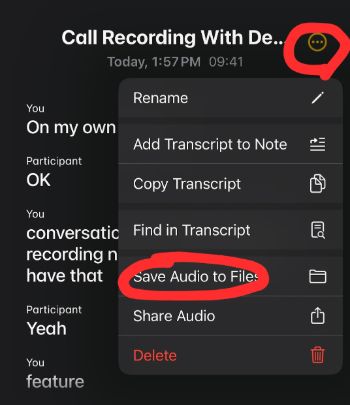
Open menu and Touch "Save Audio To Files"
-
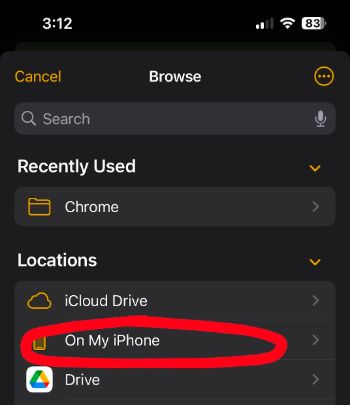
Select "On My IPhone"
-
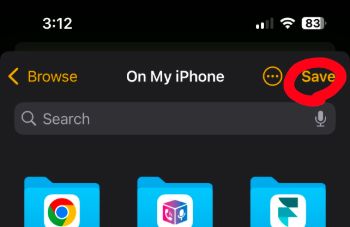
Save under "On My IPhone"
Upload Recording to FinMate AI
Upload your recording to FinMate AI directly from your iPhone.
-
Open a web browser (Safari, Chrome, Firefox, etc) and go to app.finmate.ai.
-
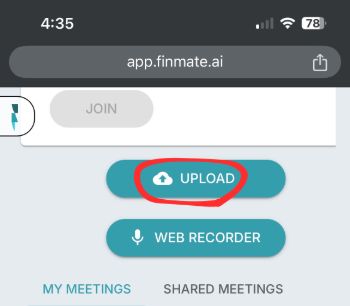
Touch "UPLOAD"
-
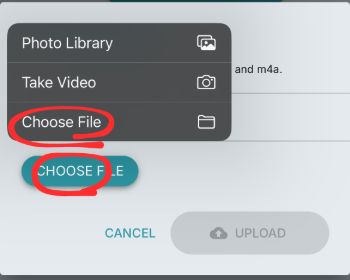
Touch "CHOOSE FILE" and Select "Choose File"
-
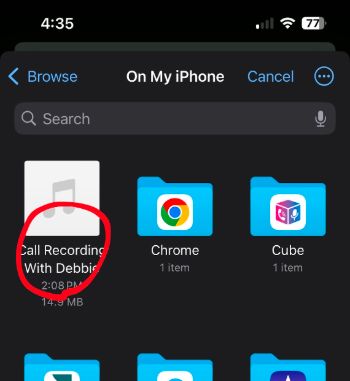
Select the recording file under "On My iPhone"
-
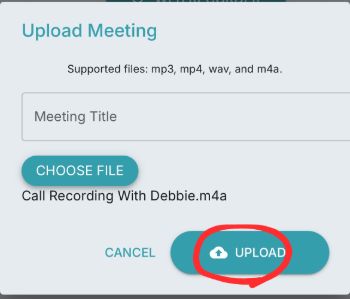
Touch "UPLOAD"
-
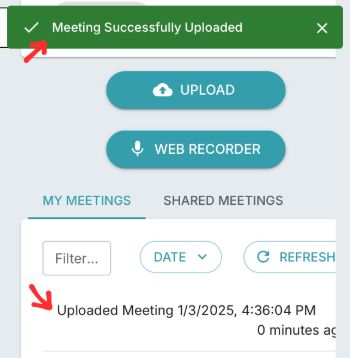
Confirm uploaded meeting